
ICT Session-Killzone
Market sessions, ICT kill zones, high/low ranges, and VWAP context directly on the MetaTrader 5 chart.
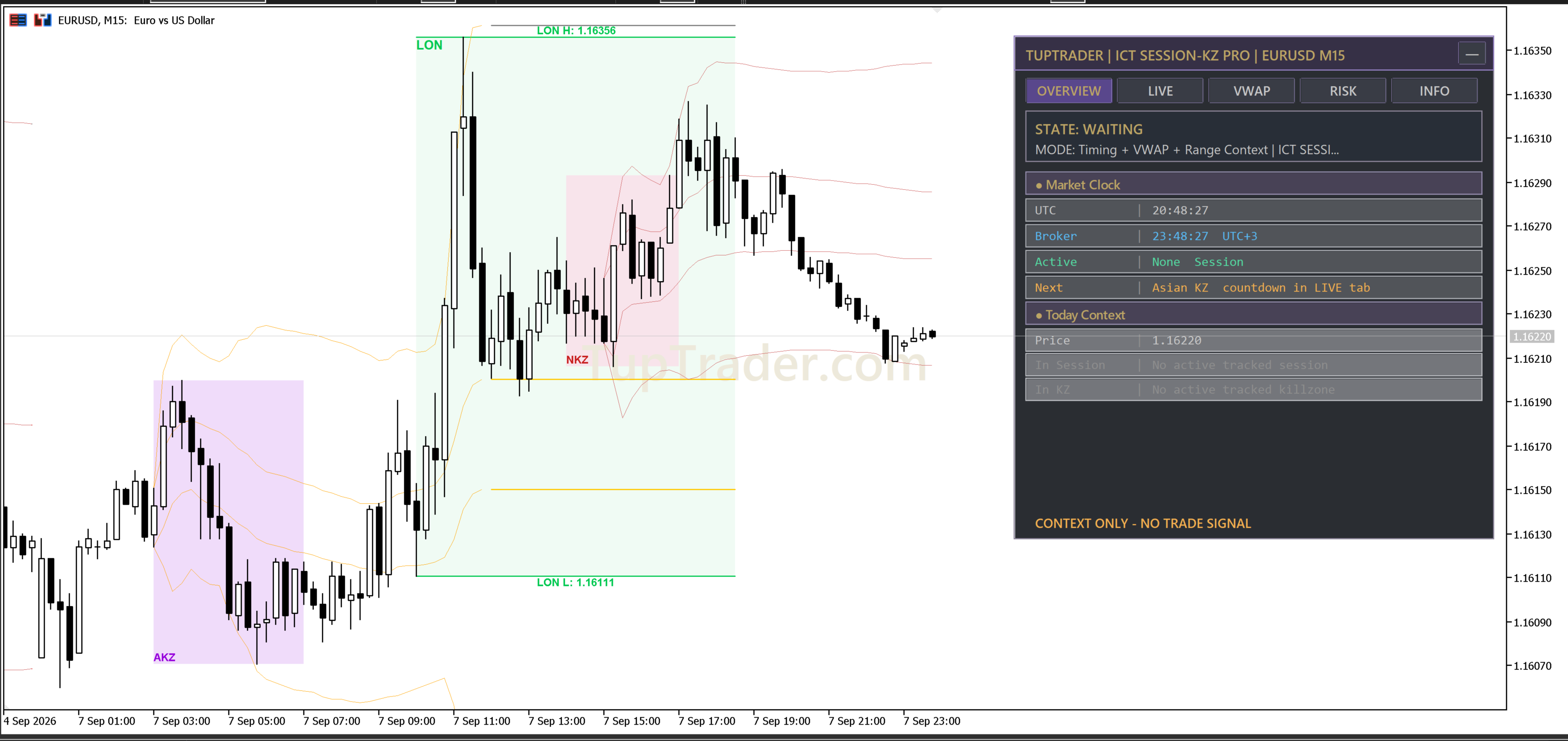
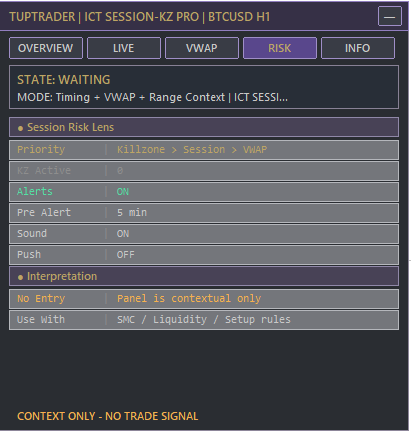
Pro edition panels
Select any image to inspect it at full size.
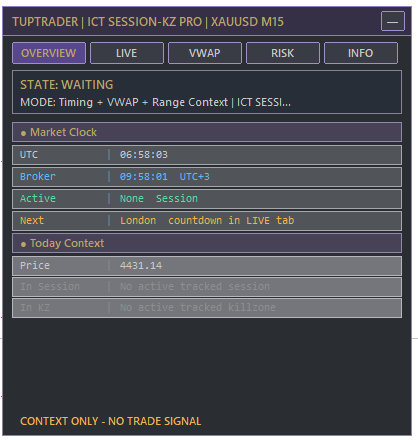
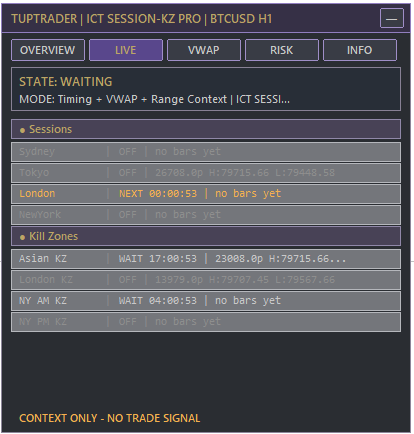
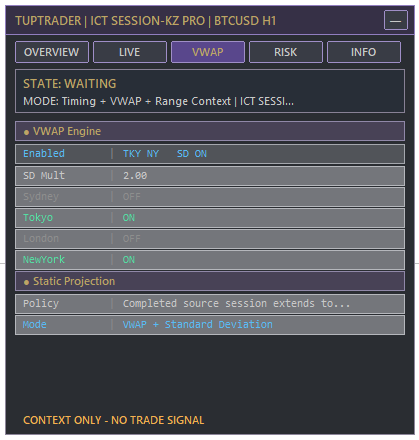
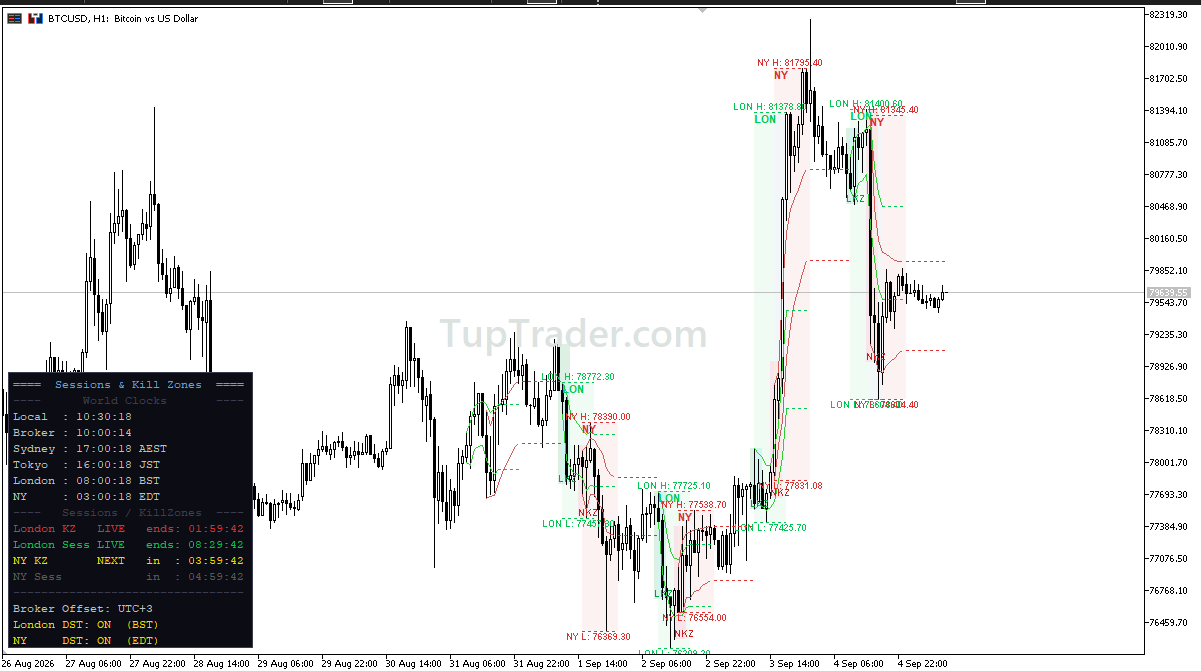
Free edition view
The dark panel on the left belongs to the Free edition. It shows the London and New York sessions and their kill zones, and activates after the account receives its free entitlement.
What does this indicator do?
It maps Sydney, Tokyo, London, and New York sessions, high/low ranges, ICT kill zones, and VWAP context on the chart. It does not create certain signals or place trades automatically.
Core capabilities
Free and Pro comparison
| Capability | Free | Pro |
|---|---|---|
| Access | Free forever with account license | Trial available, then separate subscription |
| Sessions | London / New York | Sydney / Tokyo / London / New York |
| Killzone | London / New York | Asian / London / New York / NY PM |
| VWAP | London / New York | All sessions + SD bands |
| Unified dashboard | — | ✓ |
| Alerts | — | Sound, push, and pre-kill-zone alerts |
Pricing and activation
Each edition has its own entitlement. The Free entitlement never unlocks Pro.
Free forever; add it to your account with one click.
Trial available, then a separate subscription is required.
30% off the USD 348 monthly total; renewal is not automatic.
Choose yearlyThe final invoice amount is read from backend pricing configured by an administrator.
Access through TupTrader Console
- Use the Console page for the initial TupTrader Manager and Console bootstrap.
- Add the free product, trial, or purchased plan to your account.
- After access synchronization, the managed product becomes available inside TupTrader Console.
- Console is the normal path for accessing and using the managed product.
Usage boundary
This is a visual market-timing tool. It does not provide certain signals, profit promises, investment advice, or automatic trade execution.