
TT_CIT: chart analysis, planning, and trade management in one panel
You define the entry and stop. TT_CIT connects chart tools to position sizing, pre-trade risk review, order preparation, and post-entry management.
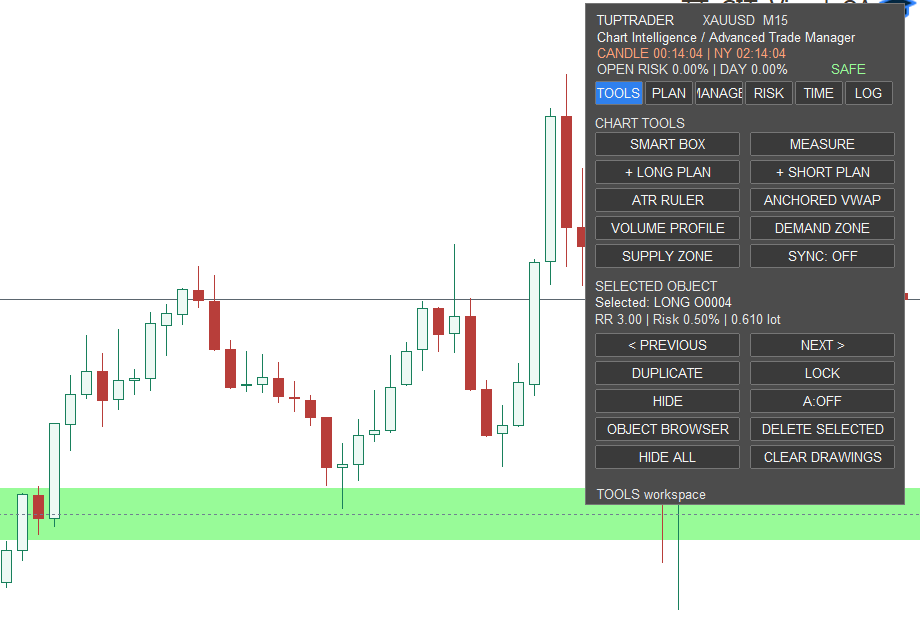
This Expert uses its own workspace structure
Each workspace covers a distinct part of the job. The user follows TOOLS → PLAN → RISK → MANAGE → LOG, while TIME provides timing context throughout.
Connects drawing, measurement, ATR, VWAP, volume profile, and zones to the start of a plan.
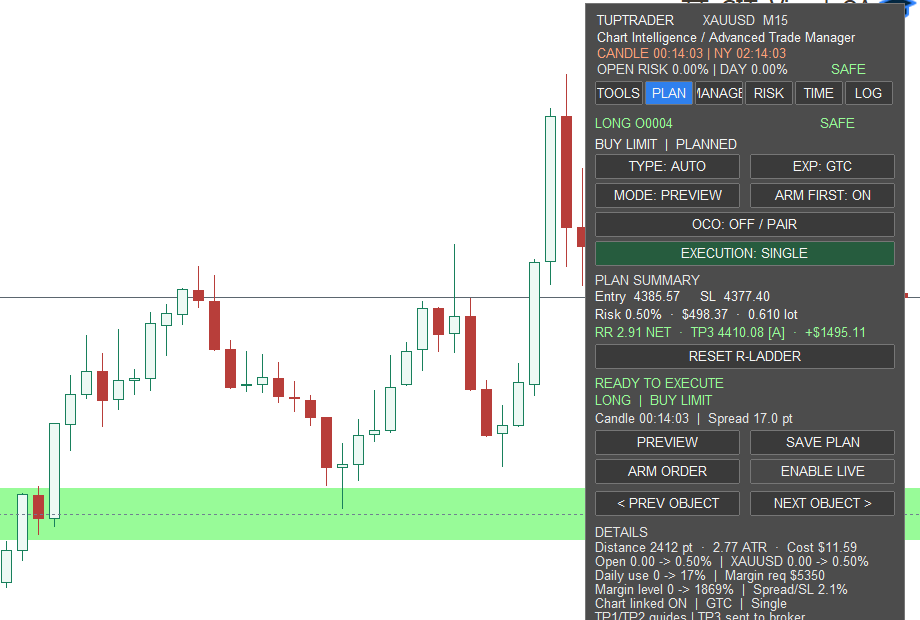
Shows entry, stop, targets, size, risk, and margin together before execution.
Keeps active-position actions, capital policy, and grouped defense operations in separate submenus.
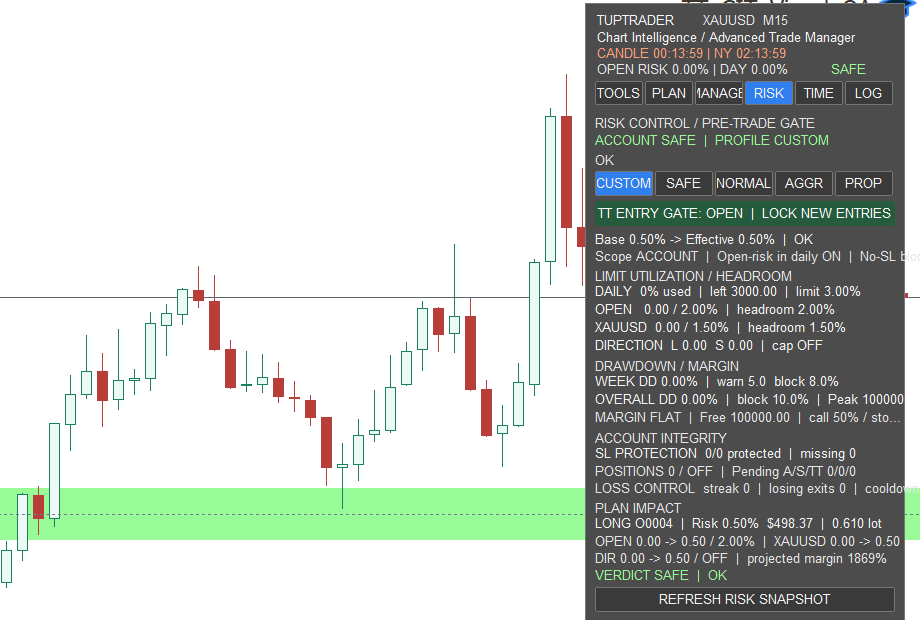
Checks account limits and the estimated impact of the next plan before allowing a new entry.
Shows candle time, broker time, market status, sessions, and kill zones.
Makes the plan-to-broker path, Campaign memory, and diagnostic checks traceable.
MANAGE contains three distinct submenus
Break-even, partial reduction, trailing, and closing the selected Campaign or symbol.
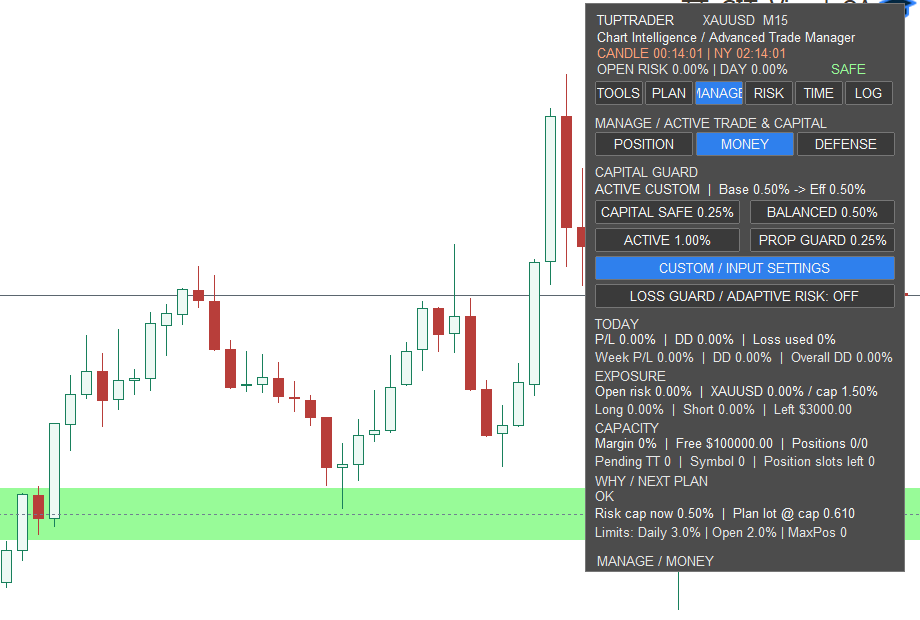
Capital profiles, effective risk, daily drawdown, open risk, margin, and next-plan capacity.
Grouped operations with scope, filter, preview, and a second confirmation before action.
Six TT_CIT workspaces on the chart
Open any image at full size to read every panel row.
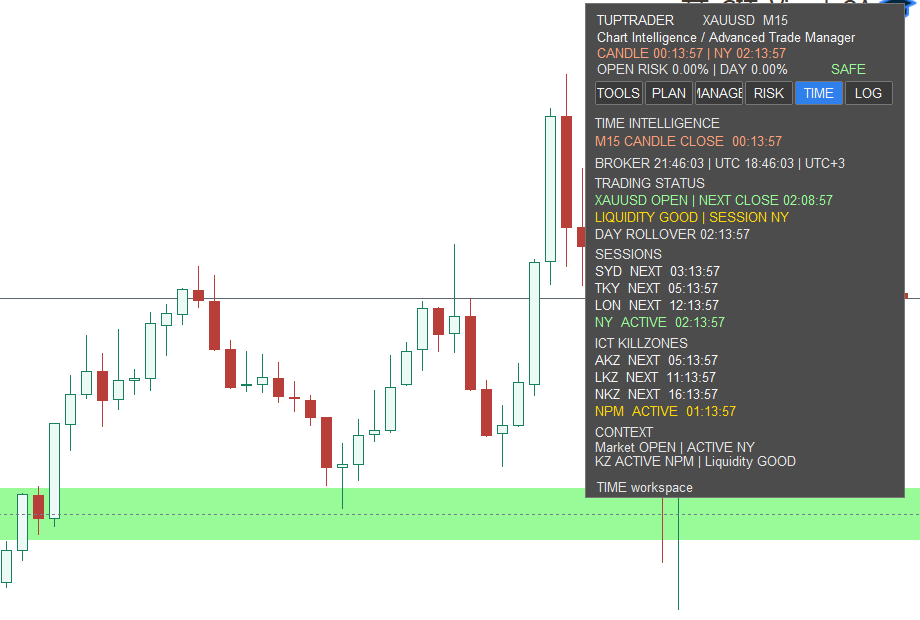
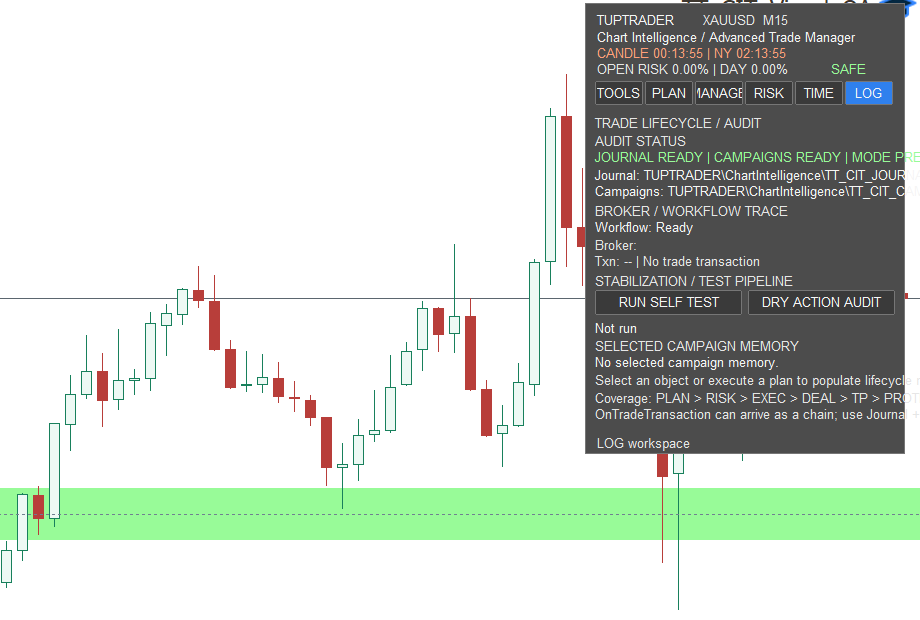
A controlled starting workflow
- TOOLS: mark the direction, range, or points needed on the chart.
- PLAN and RISK: review size, estimated cost, margin, and risk impact in Preview.
- If you intend to execute, deliberately review the order type, LIVE mode, action scope, and confirmations.
- MANAGE and LOG: after entry, follow trade protection and recorded events.
Pricing and access
Start with a trial, then receive 31 days of access. No automatic renewal.
365 days of access; USD 198 less than twelve separate monthly terms. No automatic renewal.
View yearly planAccess through TupTrader Console
- Use the Console page for the initial TupTrader Manager and Console bootstrap.
- Add the free product, trial, or purchased plan to your account.
- After access synchronization, the managed product becomes available inside TupTrader Console.
- Console is the normal path for accessing and using the managed product.
Usage boundary
TT_CIT does not generate buy or sell signals and cannot guarantee results. Preview does not place that planned order, while controls for existing trades follow separate paths. Trailing and some local protections also depend on a running, connected terminal. Begin on a demo account.
Product details
| ID | TT-PROD-CHART-001 |
|---|---|
| Platform | MetaTrader 5 Desktop |
| Type | Trade-management utility Expert Advisor |
| Version | 2.9.6 · LOG Audit |
| License | Automatic through TupTrader Manager; no manual key |
| Account allowance | Up to 5 MT5 accounts and 2 active devices |